A Mac screenshot panel with your iPhone screenshots in it
By Roman Resenchuk,
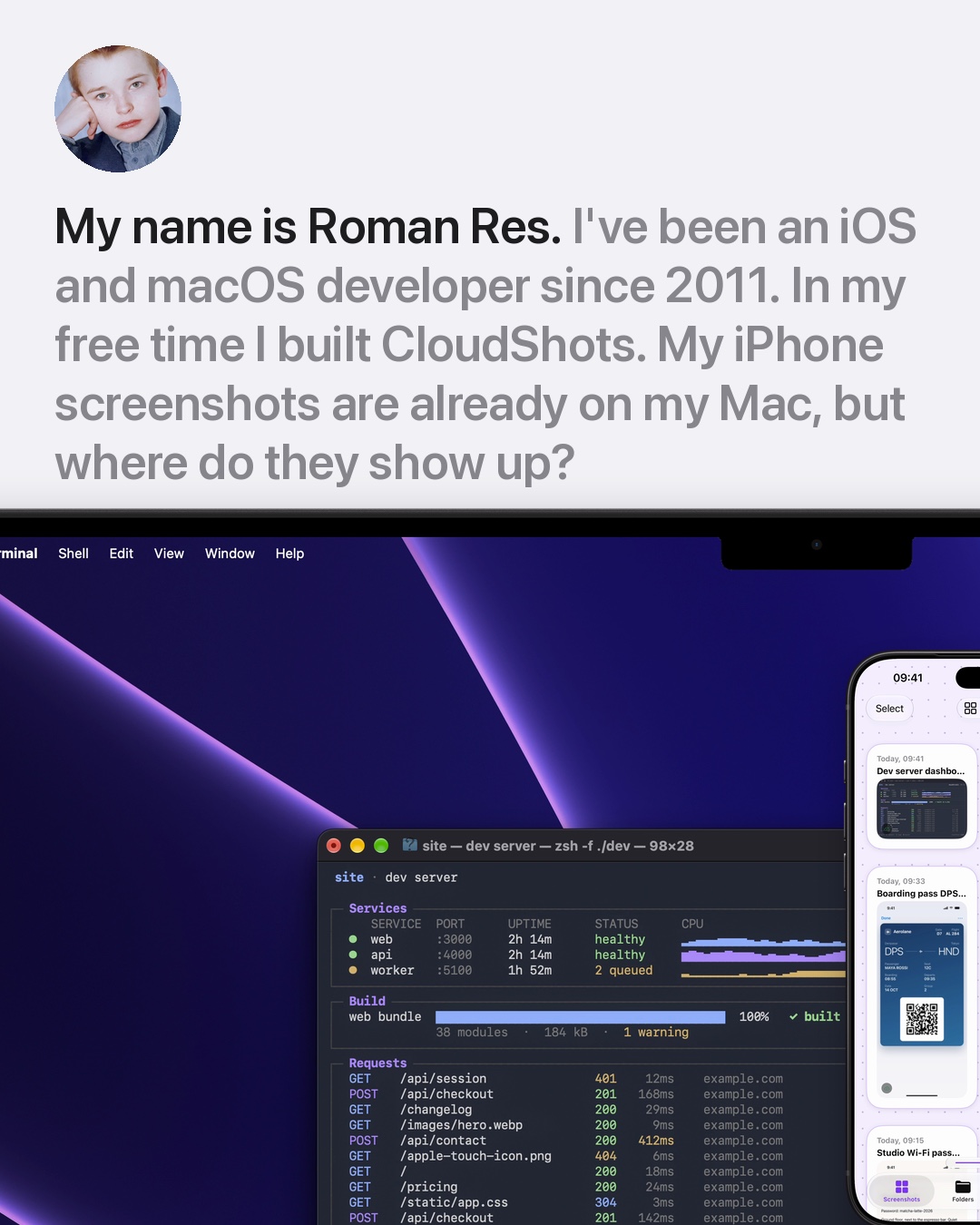
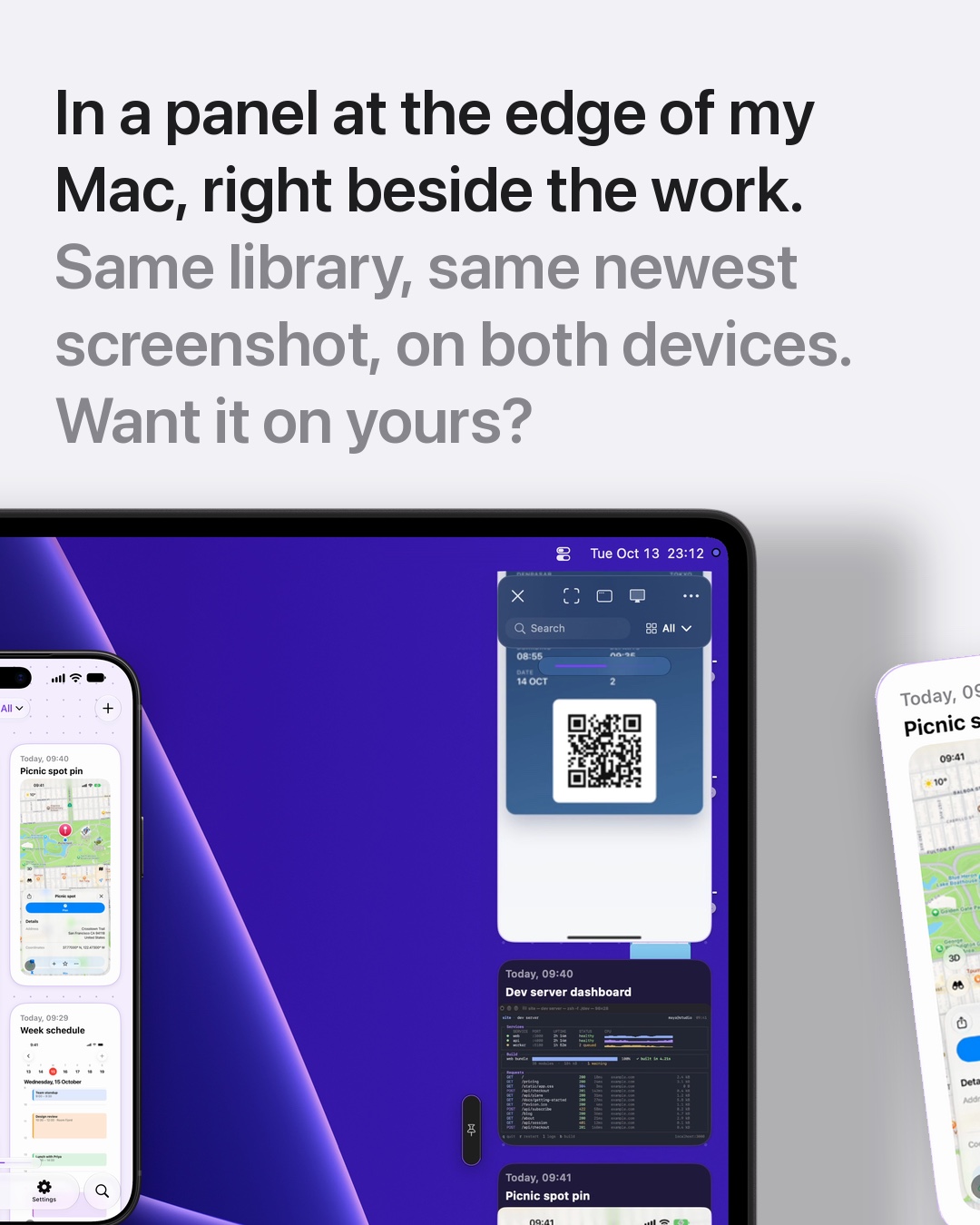

A Mac screenshot panel keeps every screenshot one move away from your pointer, including the ones you took on your iPhone. CloudShots docks the panel at the edge of your screen, right beside your work, and the same library is on your iPhone through your own iCloud.
Why I wanted the iPhone and the Mac together
I am Roman Res, an iOS and macOS developer since 2011. In my free time I built a hobby project, CloudShots. Most of my screenshots start on my iPhone: a boarding pass, a map pin, a message with an address. For years they stayed in Photos, and when I sat down at my Mac to use one, I had to hunt for it, send it to myself or dig through a folder.
What I wanted was simple. Take the screenshot on one device, and find it on the other without doing anything. The Mac side should not be another window to open. It should sit at the edge of the screen, next to whatever I am working on.
What the slides show
The slides show a MacBook with its real desktop and the CloudShots panel open at the right edge, and an iPhone standing next to it with the CloudShots feed open. Both are frames from real recordings of the app, placed in Apple device frames. Nothing in the pictures is drawn or retouched.
The iPhone shows the same newest screenshots as the Mac panel: a dev server dashboard, a map pin, a boarding pass, a week schedule. The screenshots in the feed are demo pictures made for the recordings, and the recordings are staged, so they say nothing about how fast a real screenshot arrives.
How to get a screenshot from the iPhone to the Mac panel
CloudShots is a screenshot app for iPhone, iPad and Mac. On the iPhone it reads your Screenshots album, and on the Mac it reads a folder you choose, with the Desktop pre-selected. Both sides sync to your own iCloud account, in your private database. CloudShots has no servers of its own that hold your screenshots.
- Install CloudShots on your iPhone and your Mac, and sign in to the same iCloud account on both.
- Allow access to your screenshots on the iPhone, and choose a screenshot folder on the Mac. CloudShots syncs your existing screenshots to your own iCloud.
- Take a screenshot on either device. It shows up in the feed on the other one through iCloud.
- On the Mac, move the pointer to the edge of the screen where the panel lives. It slides in beside your work, and the newest screenshot is already in it.
The screenshot sync guide walks through the setup in more detail.
The panel sits beside the work
The panel is a single column at the right edge of the Mac screen by default. It does not cover your windows until you ask for it, and it slides away again when you are done. Pin it open if you want it to stay next to the window you are working in.
The point of the panel is to take less attention than the screenshot itself. You reach the edge, find the picture you need, and keep going. The iPhone feed is the same library, so a screenshot taken on the go is waiting when you sit down.
Privacy and your iCloud
Your screenshots travel between your own devices through your private iCloud. The privacy page describes the whole policy; the short version for screenshots is on-device, private iCloud, no CloudShots servers.
CloudShots can also offer to delete the original screenshots from Photos or your folder after their upload to your iCloud is confirmed, so your library does not fill with copies.
FAQ
What is a Mac screenshot panel?
A Mac screenshot panel is a window docked to the edge of your screen that lists your screenshots. CloudShots uses one, so you can reach a screenshot by moving the pointer to the edge instead of searching Finder.
How do I get my iPhone screenshots on my Mac?
Install CloudShots on both devices and sign in to the same iCloud account. CloudShots syncs your screenshots through your private iCloud, so the ones from your iPhone appear in the Mac panel.
Does CloudShots send my screenshots to a server?
No. CloudShots syncs through your own private iCloud and has no servers of its own that hold your screenshots. The privacy page has the full policy.
How do I open the Mac screenshot panel in CloudShots?
Move the pointer to the edge of the screen where the panel lives and pause briefly. CloudShots slides the panel in beside your work.
Download on CloudShots.app.
More guides
- How to automatically sync screenshots between Mac, iPhone and iPadOne private screenshot history that syncs both ways through iCloud: Mac to iPhone and iPad, and back.
- How to find a screenshot by the text inside itSearch by the words you remember seeing, on any of your devices.
- How to free up the space your screenshots takeClear synced originals from Photos and your Mac without losing your history.
- CloudShots is an iCloud screenshot manager for Mac, iPhone and iPadWhat lives in your own iCloud, how the library limit works, and what stays private.
- One screenshot history for your Mac, iPhone and iPadOne searchable history of every screenshot from your Mac, iPhone and iPad, synced through your own iCloud. Find any shot and free up storage.
- How to pin a screenshot on screen on MacKeep a screenshot floating above your other windows on Mac with ⌘P. Pin up to 6, move and resize them, close with Esc.
- How to redact or blur text and faces in a screenshot on MacBlur, pixelate or cover text, faces and objects in a screenshot on Mac. Redaction in CloudShots is non-destructive: your original stays untouched.
- How to add a background, padding and shadow to a screenshot on MacExport a Mac screenshot with a background, padding, rounded corners and a shadow using Export with Frame in CloudShots. Copy, save or share the result.
- CloudShots compared with a premium all-in-one capture suiteHow CloudShots compares with a premium, paid all-in-one capture and annotation suite for Mac: history, text search, redaction and pricing.
- CloudShots compared with a floating screenshot toolHow CloudShots compares with a floating, pin-on-screen screenshot tool with a quick library: history, text search, redaction and pricing.
- CloudShots compared with a fast capture and text-recognition utilityHow CloudShots compares with a fast, lightweight capture utility with on-screen text recognition: history, text search, redaction and pricing.
- All guides


TestFlight includes Pro for beta testing. No purchase is required or charged.